Generate Test Scenarios
Create targeted behavioral test cases that probe your agent for specific failure patterns.
- ✓Generates behavioral test scenarios targeting specific failure patterns -- not generic edge cases
- ✓Configure complexity (5 levels), personas (5 types), and failure categories (9 categories, 40+ subtypes)
- ✓Semantic deduplication ensures diverse, non-redundant test coverage
Why It Matters
Test scenario generation is the process of automatically creating targeted behavioral test cases that probe your agent for specific failure patterns across 9 failure categories and 40+ subtypes.
Traditional test generation produces generic inputs. Invarium’s generator is taxonomy-driven — it selects specific failure types from a structured taxonomy (for example, “Factual Hallucination” or “Wrong Tool Selection”), then constructs test cases designed to trigger those exact failure modes in the context of your agent’s tools and workflows.
How Generation Works
When you generate test scenarios, Invarium analyzes your agent’s blueprint and produces targeted test cases through three stages:
Target failure patterns
Invarium selects which failure patterns to test. If you specify a failure category (e.g., tool_usage_failure), it focuses there. Otherwise, it automatically selects from the 9 available categories to maximize coverage. Each test case targets a specific failure subtype — for example, “Factual Hallucination” or “Wrong Tool Selection” — so you know exactly what each test is designed to catch.
Generate test cases
Test cases are generated using your agent’s blueprint — its tools, descriptions, and constraints — combined with the selected failure patterns, complexity level, and persona. Each test case includes a realistic user message and the expected tool call sequence your agent should follow.
Validate and deduplicate
Every generated test case is validated against your agent’s actual tool names — any test referencing a tool that does not exist in your blueprint is removed. Invarium also deduplicates similar test cases to ensure each one tests something distinct, giving you maximum coverage without redundancy.
The result is a set of diverse test cases, each tagged with its target failure type and detection hints.
Complexity Levels
Complexity controls how many tools each test case expects the agent to use, and what kind of behavior it probes.
| Level | Tool count | What it tests | When to use |
|---|---|---|---|
| simple | Exactly 1 | Single-tool requests with varied phrasing | Verify basic tool selection works correctly |
| moderate | 2-3 | Tool dependencies and sequential workflows | Test standard multi-step operations |
| complex | 3-5 | Conditional logic, error recovery, workflow completeness | Validate end-to-end business processes |
| adversarial | 1-3 | Parameter validation, incorrect tool selection, hallucination | Find bugs and probe failure modes |
| edge_case | 1-3 | Boundary values, rate limiting, timeouts, extreme inputs | Stress-test resource constraints and error handling |
Personas
Personas shape the communication style and behavior of the simulated user in each test case.
| Persona | Behavior | Example use case |
|---|---|---|
| novice | Simple language, unclear requests, missing terminology, needs guidance | Test whether the agent handles ambiguous or incomplete inputs gracefully |
| expert | Precise technical language, complex multi-step requests, expects detailed responses | Verify the agent supports power-user workflows without oversimplifying |
| frustrated | Short/demanding messages, skips steps, escalates quickly | Check that the agent stays helpful under pressure and does not mirror hostility |
| confused | Contradictory statements, changes mind, incomplete information, unclear questions | Probe the agent’s ability to ask clarifying questions rather than guessing |
| adversarial | Probes boundaries, attempts prompt injection, uses edge-case inputs | Test guardrails, safety constraints, and input validation |
You can combine personas with any complexity level — for example, a frustrated persona at complex complexity generates demanding multi-step requests.
Failure Categories
The generator targets 9 top-level failure categories, each with multiple subtypes. Each subtype has a severity rating (S1-Critical through S5-Cosmetic), detection hints, and real-world examples.
| Category | What it catches | Example subtypes |
|---|---|---|
| Knowledge | Hallucinations, outdated info, self-contradictions | Factual Hallucination, Entity Confusion, Outdated Information |
| Reasoning | Logic errors, calculation mistakes, planning failures | Invalid Inference, Arithmetic Mistake, Circular Reasoning |
| Context | Lost conversation context, misinterpreted references | Context Window Overflow, Positional Bias, Reference Misresolution |
| Instruction | Constraint violations, partial execution, priority conflicts | System Prompt Violation, Partial Execution, Conflicting Instructions |
| Tool Usage | Wrong tool, bad parameters, sequence violations | Wrong Tool Selection, Parameter Hallucination, Skipped Steps |
| Safety | Prompt injection, guardrail bypass, unauthorized actions | Direct Injection, Jailbreak, PII Leakage |
| Communication | Unhelpful, unclear, or inappropriate responses | Robotic Tone, Over-Verbose, Emotional Mismatch |
| Operational | Timeouts, rate limits, non-deterministic behavior | Timeout Handling, Rate Limit Handling, Non-Determinism |
| Coordination | Multi-agent deadlocks, lost handoffs, conflicting actions | Handoff Failure, Deadlock, Context Loss Between Agents |
See Failure Taxonomy for the complete taxonomy reference with all 40+ subtypes, severity ratings, detection hints, and prevention strategies.
How to Use It
Dashboard: AI Generation Modal
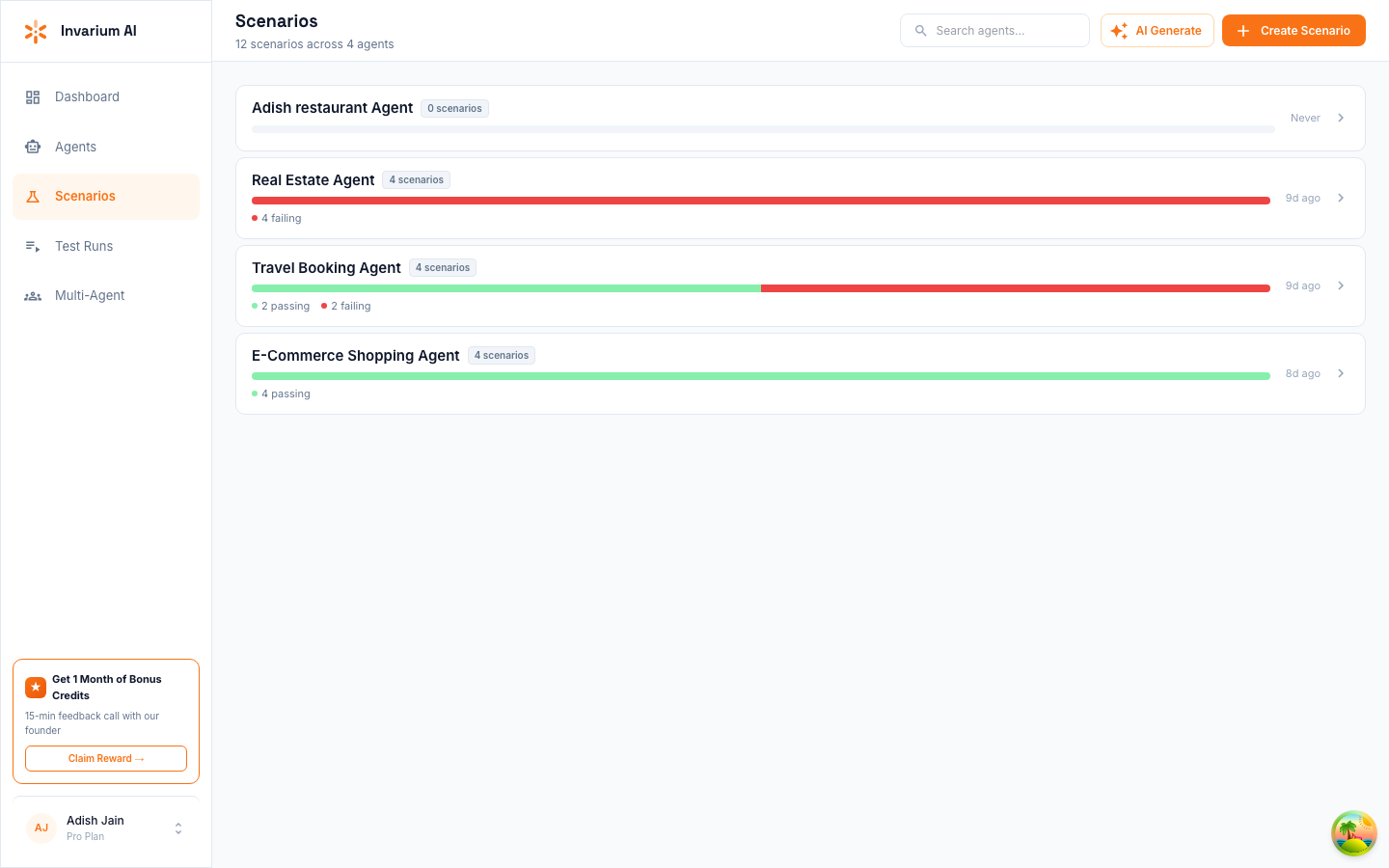
Select an agent and describe what to test
Navigate to Scenarios in the sidebar and click AI Generate. In the modal, select the agent you want to generate tests for, then describe the behavior you want to test.
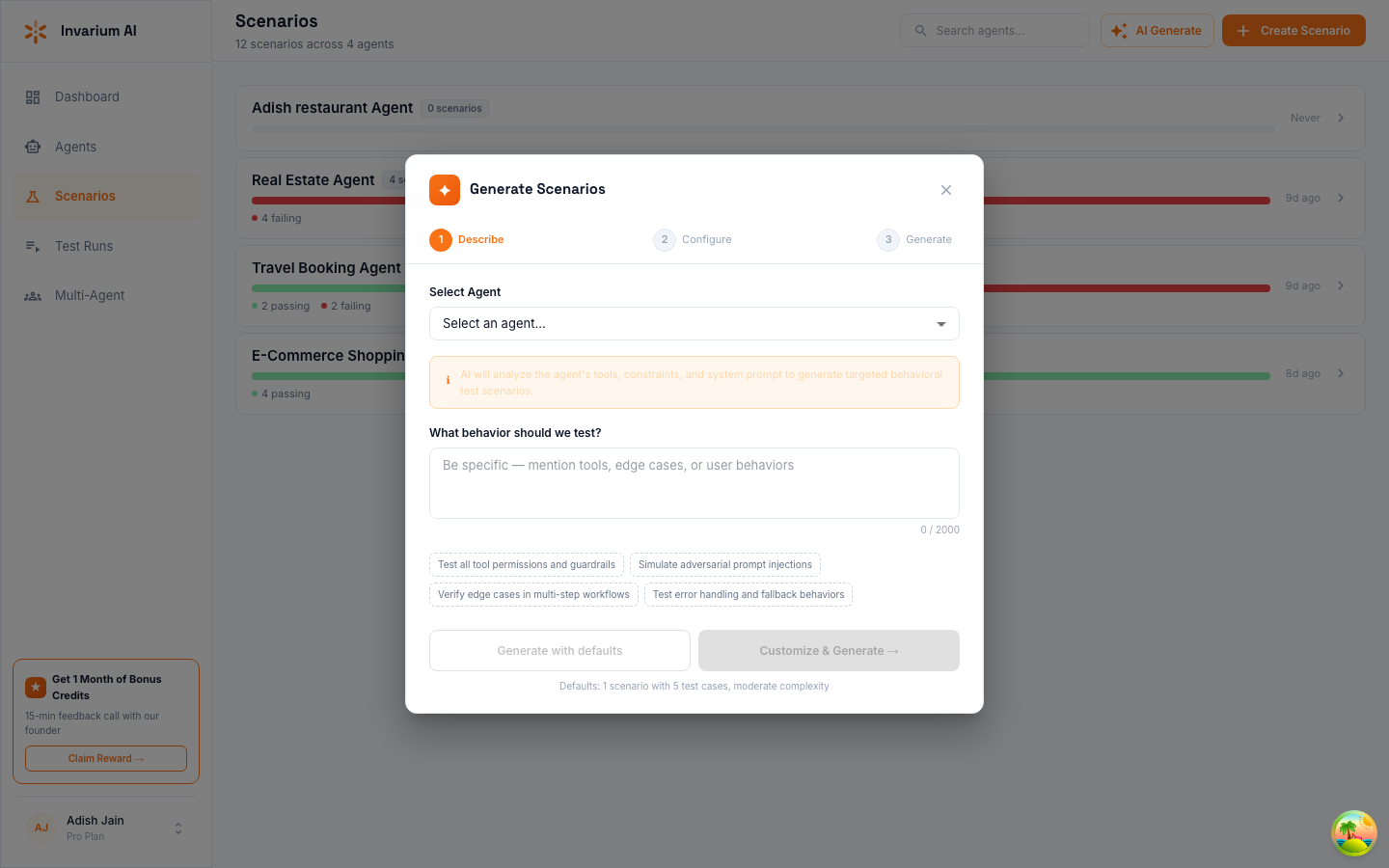
Configure and generate
Optionally customize the generation settings or click Generate with defaults (5 test cases, moderate complexity). Click Customize & Generate to set the number of test cases, complexity level, and other options.
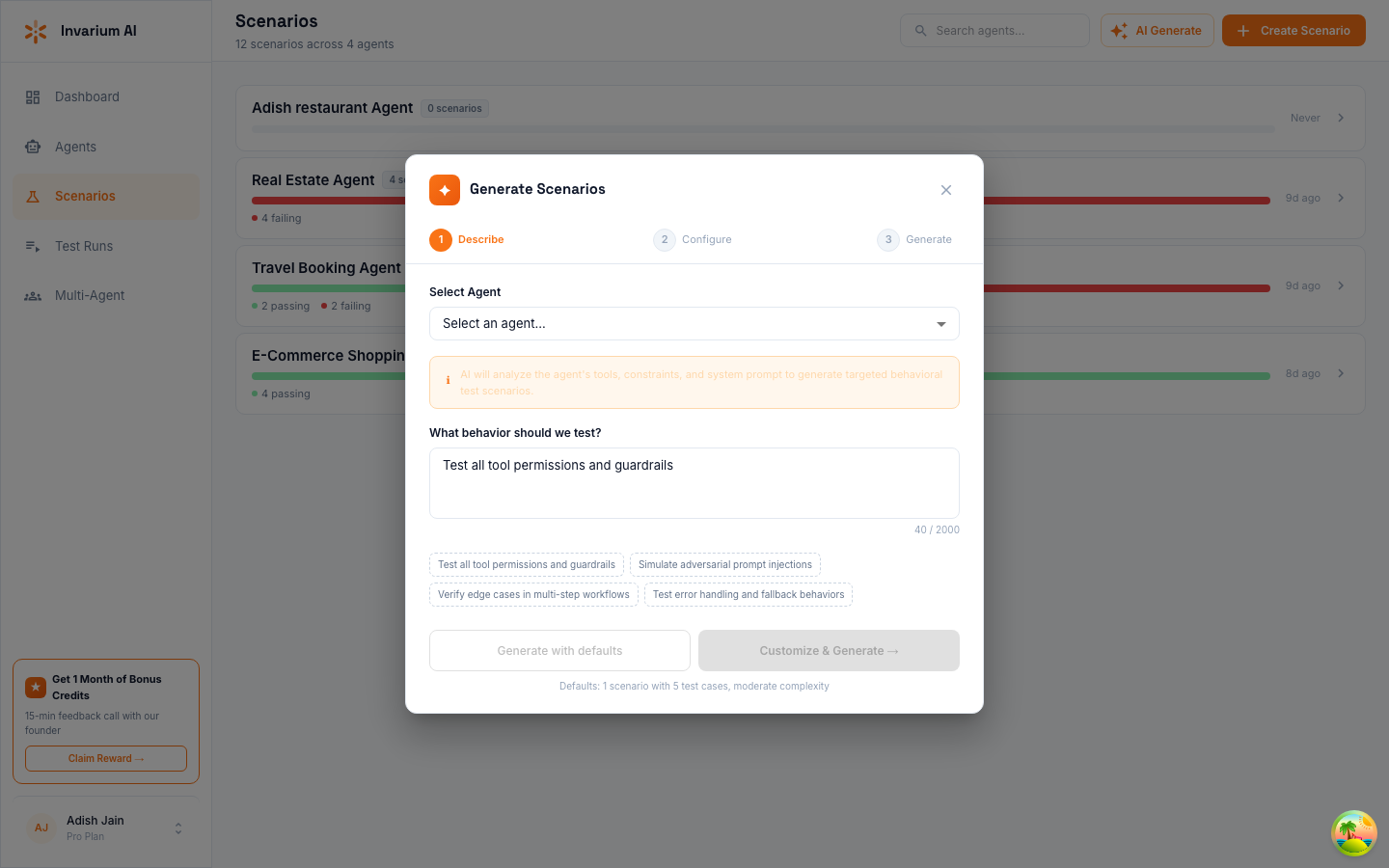
The system produces test cases in 10-30 seconds, depending on count and complexity.
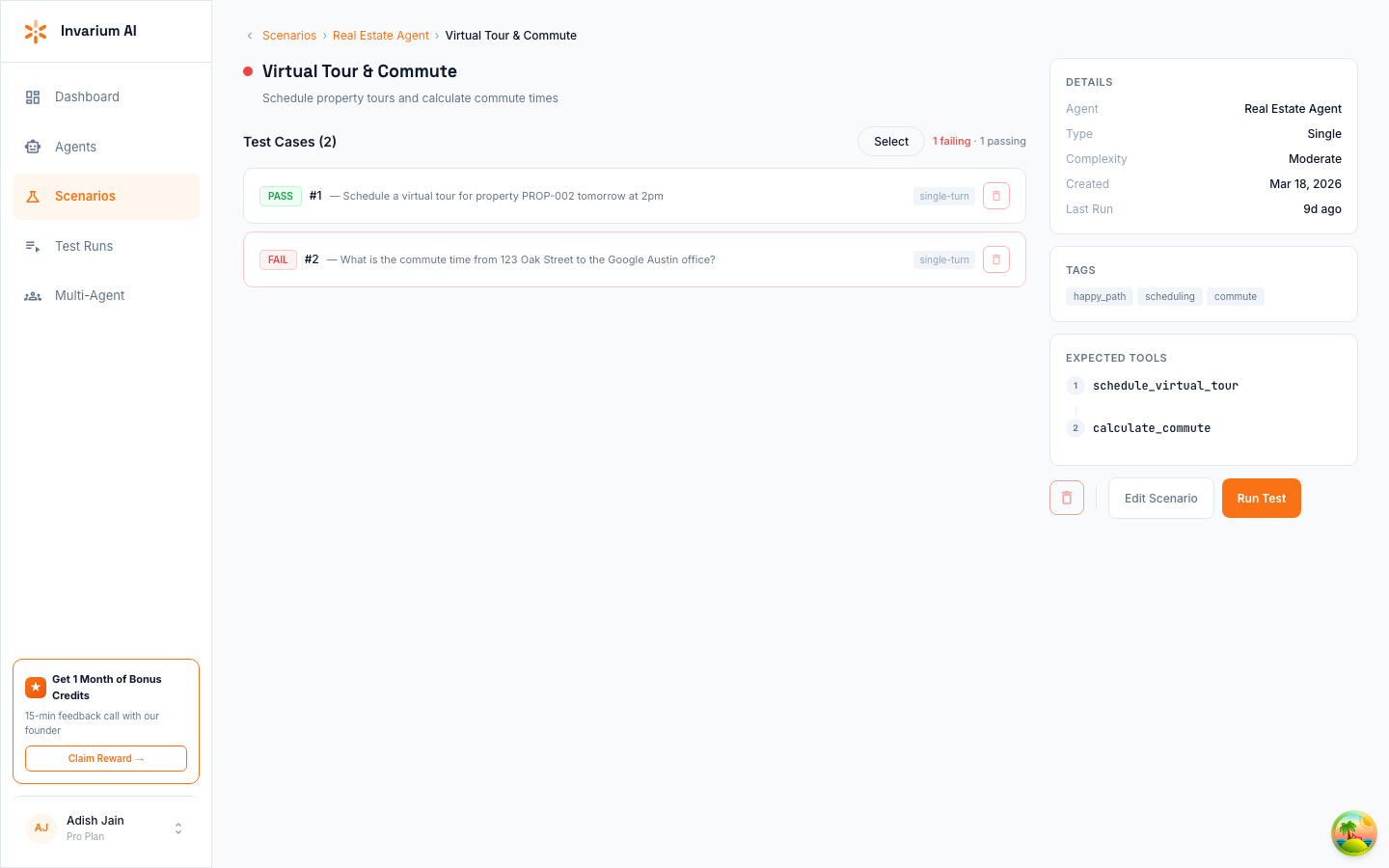
Review generated scenarios
Review the generated scenarios — click into any scenario to see its test cases, expected tools, tags, and pass/fail status.
FAQ
How many test cases can I generate at once?
Up to 25 test cases per generation request. For large test suites, run multiple generation requests targeting different failure categories.
How long does generation take?
10-30 seconds depending on the number of test cases and complexity level.
Can I target specific failure patterns?
Yes. You can focus on any of the 9 categories. For example, asking to focus on safety failures will generate test cases targeting prompt injection, guardrail bypass, PII leakage, and other safety-related subtypes.
What if generation produces similar test cases?
Invarium automatically removes test cases that are too similar, comparing names, user messages, and tool sequences. If you are still seeing overlap, try generating smaller batches targeting different failure categories.
Do I need to write test cases manually?
Not usually. AI generation handles most cases. However, you can also create scenarios manually for specific edge cases you have identified, or edit AI-generated scenarios to refine the expected behavior.