Support
Get help when you need it.
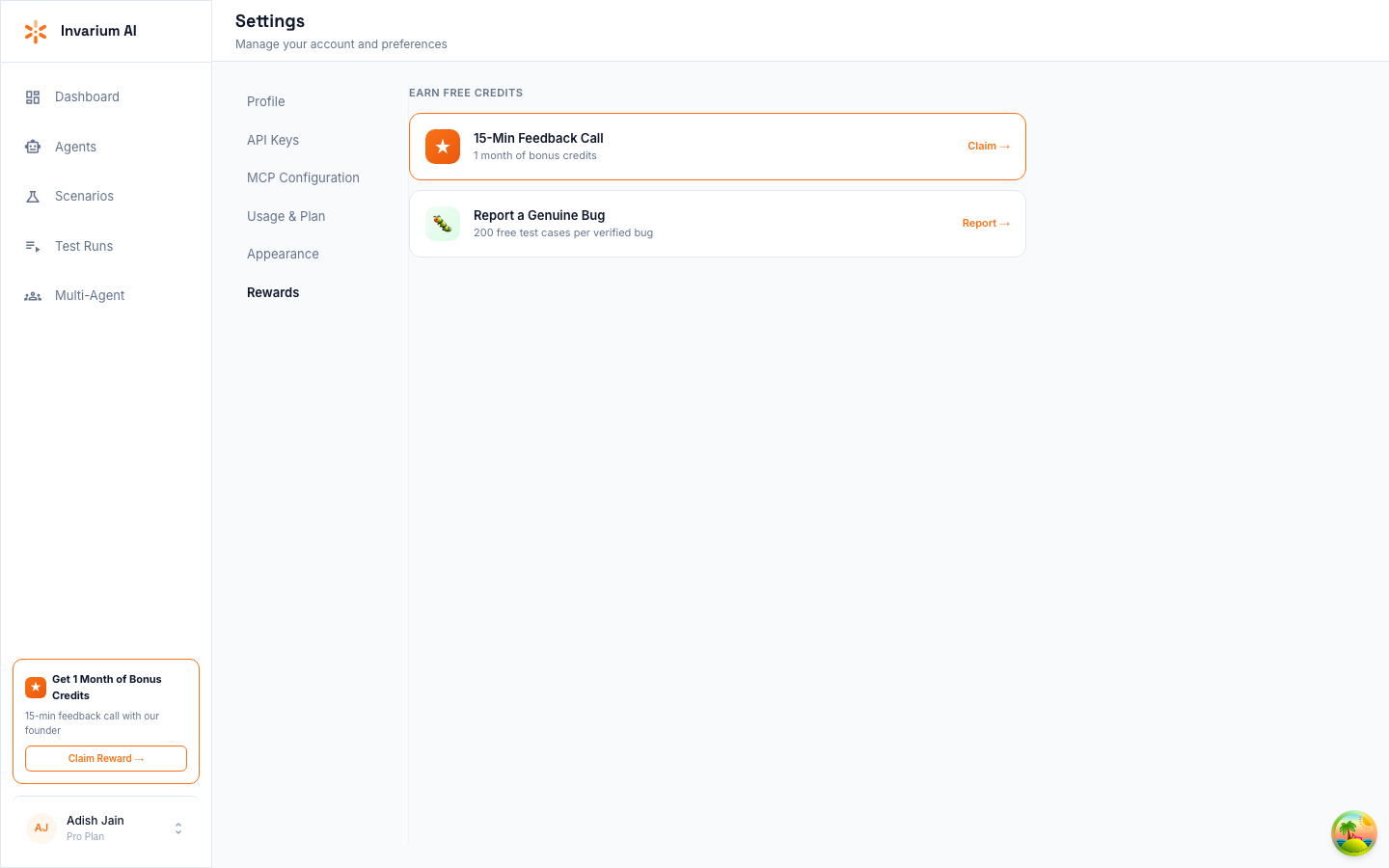
- ✓Report bugs directly from the dashboard — Settings > Rewards > Report a Genuine Bug — and earn 200 free test cases per verified bug
- ✓Pro members get priority support via a dedicated Slack channel with direct access to the Invarium team
- ✓Check the troubleshooting table below for common errors before reaching out
Report a Bug
To report bugs, use the built-in bug report form in the dashboard. Navigate to Settings in the sidebar, then select the Rewards tab. Under “Earn Free Credits,” click Report next to “Report a Genuine Bug.”
The bug report form asks for a title and description. Include what happened, what you expected to happen, and steps to reproduce the issue. Our team reviews submissions and credits your account within 48 hours for verified bugs.
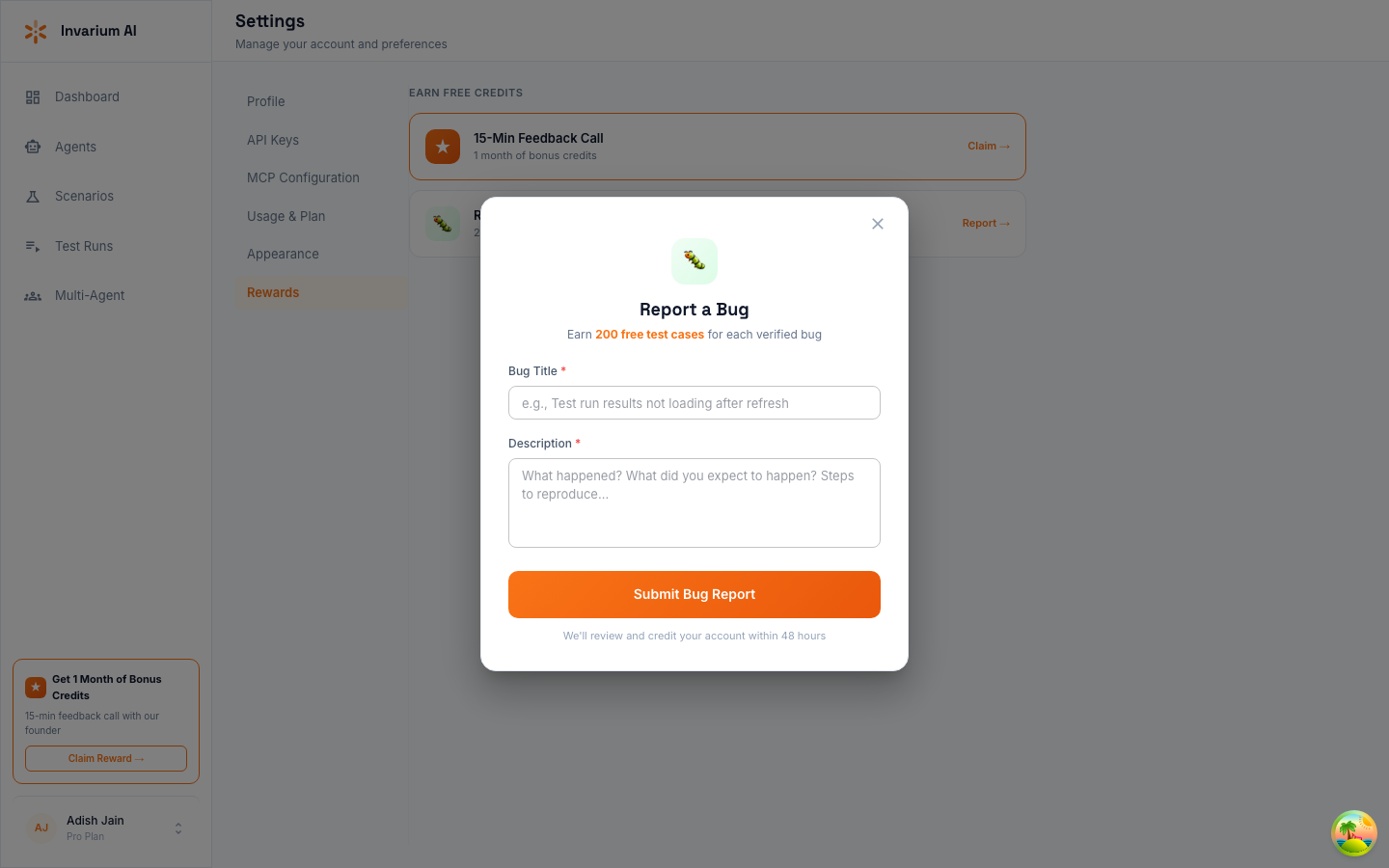
You earn 200 free test cases for each verified bug report.
Priority Support via Slack (Pro)
Pro plan members get access to a dedicated Slack channel with direct access to the Invarium engineering team. Use it for:
- Priority bug triage — reported issues are reviewed within hours, not days
- Implementation guidance — get help setting up tracing, configuring blueprints, or interpreting test results
- Feature requests — share feedback directly with the team building the product
To get access, upgrade to the Pro plan from Settings > Usage & Plan in the dashboard. Your Slack invite will be sent to your account email within 24 hours of upgrading.
Community Discord
Coming soon. We are setting up a community Discord for discussions, tips, and direct support from the Invarium team.
FAQ
Account and Setup
Q: How do I reset my password?
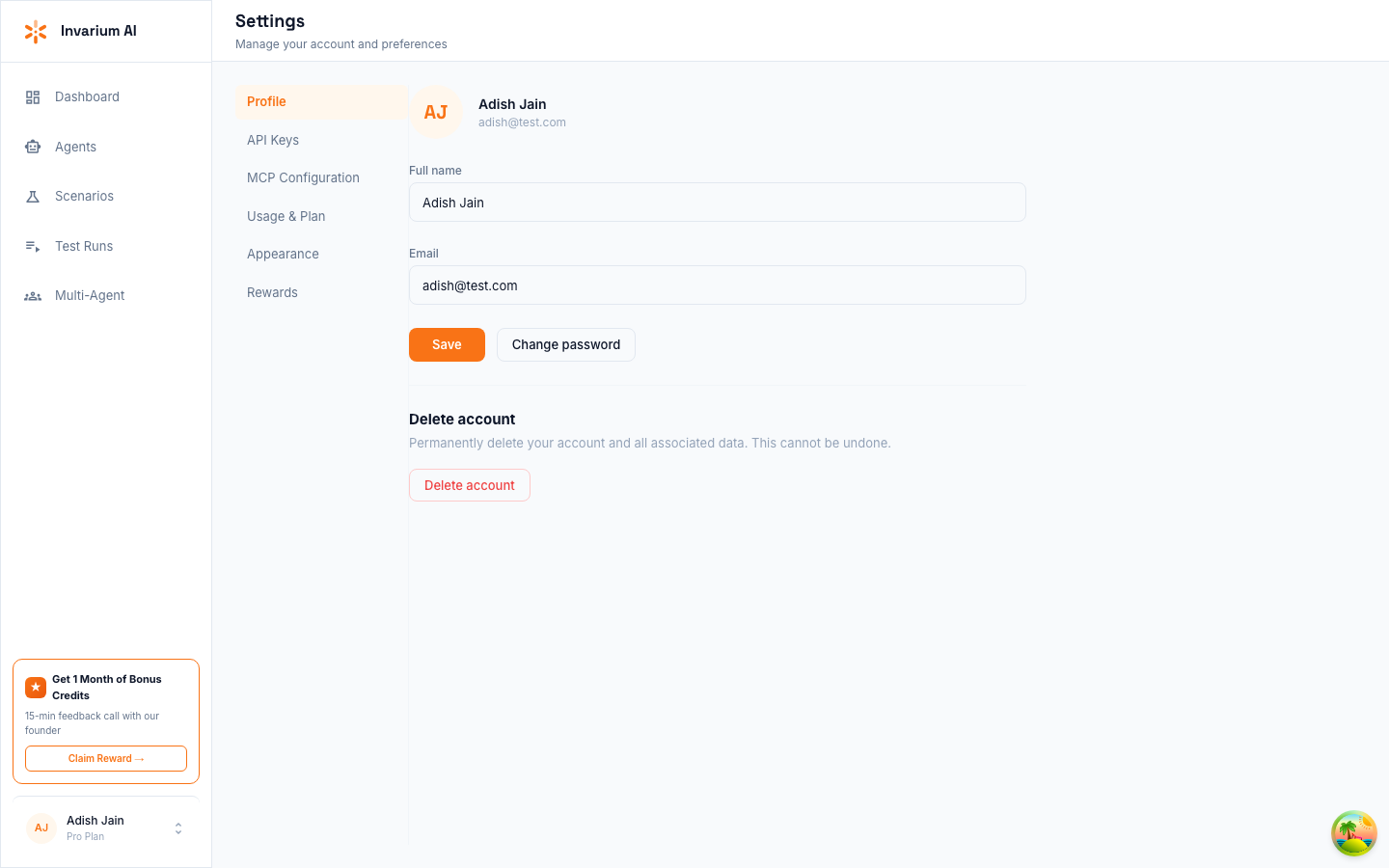
Go to Settings > Profile in the dashboard and click Change password.
Q: How do I delete my account?
Go to Settings > Profile in the dashboard. Under “Delete account,” click Delete account. This permanently deletes your account and all associated data. This action cannot be undone.
MCP Server
Q: The MCP server is not connecting. What should I check?
Verify the following:
- Your API key is correct and added to your MCP configuration (see Installation & Setup)
- Your MCP client configuration file is valid JSON
- Restart your Claude/Cursor session after updating or editing the MCP config
- Run
invarium_connectto test the connection and see the specific error
Q: I get “AUTH_FAILED” when connecting.
Your API key may be invalid, expired, or revoked. Go to the dashboard under Settings then API Keys and create a new key. Update your MCP server configuration with the new key.
Q: Test generation is stuck. How long should it take?
Generation typically completes in 10-30 seconds. The platform enforces a 120-second timeout. If invarium_get_tests returns "status": "in_progress" for more than 2 minutes, the generation may have timed out. Try generating again with a new request.
Testing
Q: How many tests should I generate?
Start with 10-20 tests for initial exploration. For thorough coverage, generate up to 25 tests per scenario (the platform maximum).
Q: My AQS score seems too low. What should I check?
Check the score breakdown in the dashboard:
- Low pass rate — Fix the failing tests, starting with the highest severity
- High severity weighting penalty — You have critical/high failures; fix those first
- Low coverage breadth — You are only testing a few failure categories; generate tests with mixed complexity
- Low consistency — Your agent performs differently at different complexity levels; investigate complex test failures
Q: Can I write my own test cases instead of generating them?
Yes. You can create test results manually and sync them with invarium_sync_results. The results format is the same regardless of whether the test cases were generated by Invarium or written by hand.
Q: Do I need to run tests in a specific order?
No. Test cases are independent and can be run in any order. Each test case is a standalone scenario.
Q: What is the maximum number of results I can sync at once?
You can sync up to 1,000 results per invarium_sync_results call. If you have more results, split them across multiple sync calls. Each call creates a separate test run.
Billing and Plans
Q: What plans does Invarium offer?
Invarium offers a Free plan (1 agent, 200 test cases/month, 200 simulation credits/month) and a Pro plan at $99/month (2 agents, 1,000 test cases/month, 1,000 simulation credits/month). See Rate Limits and Usage for the full comparison.
Q: What happens when I hit my monthly quota?
Test case generation and dashboard simulations are blocked until the quota resets on the first of the next month. MCP and CI/CD test syncs continue to work since they do not consume simulation credits. You can upgrade your plan or purchase add-ons to increase your limits immediately.
Q: Can I upgrade or downgrade at any time?
Yes. Plan changes take effect immediately. When upgrading, you gain access to the higher limits right away. When downgrading, the change takes effect at the start of your next billing cycle.
Troubleshooting
Common Errors
| Error | Cause | Fix |
|---|---|---|
AUTH_FAILED | Invalid, expired, or revoked API key | Create a new key in Settings then API Keys |
INVALID_BLUEPRINT | Blueprint does not match the schema | Validate against the blueprint schema; check required fields (name, tools) |
RATE_LIMITED | Too many requests in the time window | Wait for the Retry-After period and try again |
QUOTA_EXCEEDED | Monthly plan limit reached | Wait for the monthly reset or upgrade your plan |
AGENT_NOT_FOUND | No blueprint uploaded for this agent name | Upload a blueprint first with invarium_upload_blueprint |
GENERATION_IN_PROGRESS | A generation is already running for this agent | Wait for it to complete or use a different scenario |
GENERATION_TIMEOUT | Generation exceeded the 120-second time limit | Reduce the number of test cases or try again |
PAYLOAD_TOO_LARGE | Sync payload or blueprint exceeds size limit | Blueprint max is 500 KB; results max is 1,000 per sync |
VALIDATION_ERROR | Missing or malformed required fields in the request | Check that scenario_id, user_message, and agent_response are present and non-empty |