Rate Limits & Usage
Understand your plan limits and monitor consumption so you never hit a wall mid-test.
- ✓Platform limits apply to all plans: 50 tests per generation, 120s generation timeout, 1000 results per sync
- ✓Free plan includes 1 agent, 200 test cases/month, and 200 simulation credits/month
- ✓Check usage anytime via the dashboard Settings page or the invarium_usage MCP tool
Why It Matters
Rate limits and usage quotas protect platform stability and ensure fair access across all users. Understanding your limits helps you plan testing strategies and avoid interruptions.
Invarium enforces two kinds of limits: platform-wide limits that apply to every account regardless of plan, and plan-based quotas that scale with your subscription tier. Knowing both helps you structure your testing workflow to stay within bounds.
Platform Limits
These limits apply to all accounts regardless of plan tier:
| Resource | Limit | Notes |
|---|---|---|
| Test cases per generation | 25 | Maximum test cases in a single invarium_generate_tests call |
| Generation timeout | 120 seconds | If generation does not complete within this window, it times out |
| Results per sync | 1,000 | Maximum test results in a single invarium_sync_results call |
| Blueprint size | 500 KB | Maximum size of a blueprint YAML document |
| API keys per account | Free: 1, Pro: 2 | Active API keys at any time |
| Scenario generation rate | 20 per hour | Maximum AI-powered scenario generations per user per hour |
If you need to sync more than 1,000 results, split them across multiple invarium_sync_results calls. Each call creates a separate test run.
Plan Tiers
Invarium offers two plan tiers. Monthly quotas reset on the first of each calendar month (UTC).
| Feature | Free | Pro ($99/month) |
|---|---|---|
| Agents | 1 | 2 |
| Test case generations per month | 200 | 1,000 |
| Simulation credits per month | 200 | 1,000 |
| API keys | 1 | 2 |
What counts as a test case generation?
Each test case generated by invarium_generate_tests or the dashboard scenario generator counts as one test case generation. If you generate a scenario with 10 test cases, that uses 10 from your monthly quota.
What counts as a simulation credit?
Each conversation turn in a dashboard simulation run consumes one simulation credit. Single-turn tests use one credit. Multi-turn tests use one credit per turn. Tests run via MCP or CI/CD pipelines do not consume simulation credits — only dashboard simulations do.
Add-on packages are available to extend your limits for agents, test case generations, and simulation credits. Manage add-ons from the dashboard Settings page.
Checking Your Usage
Dashboard: Settings — Usage
Navigate to Settings in the dashboard sidebar, then select the Usage & Plan tab.
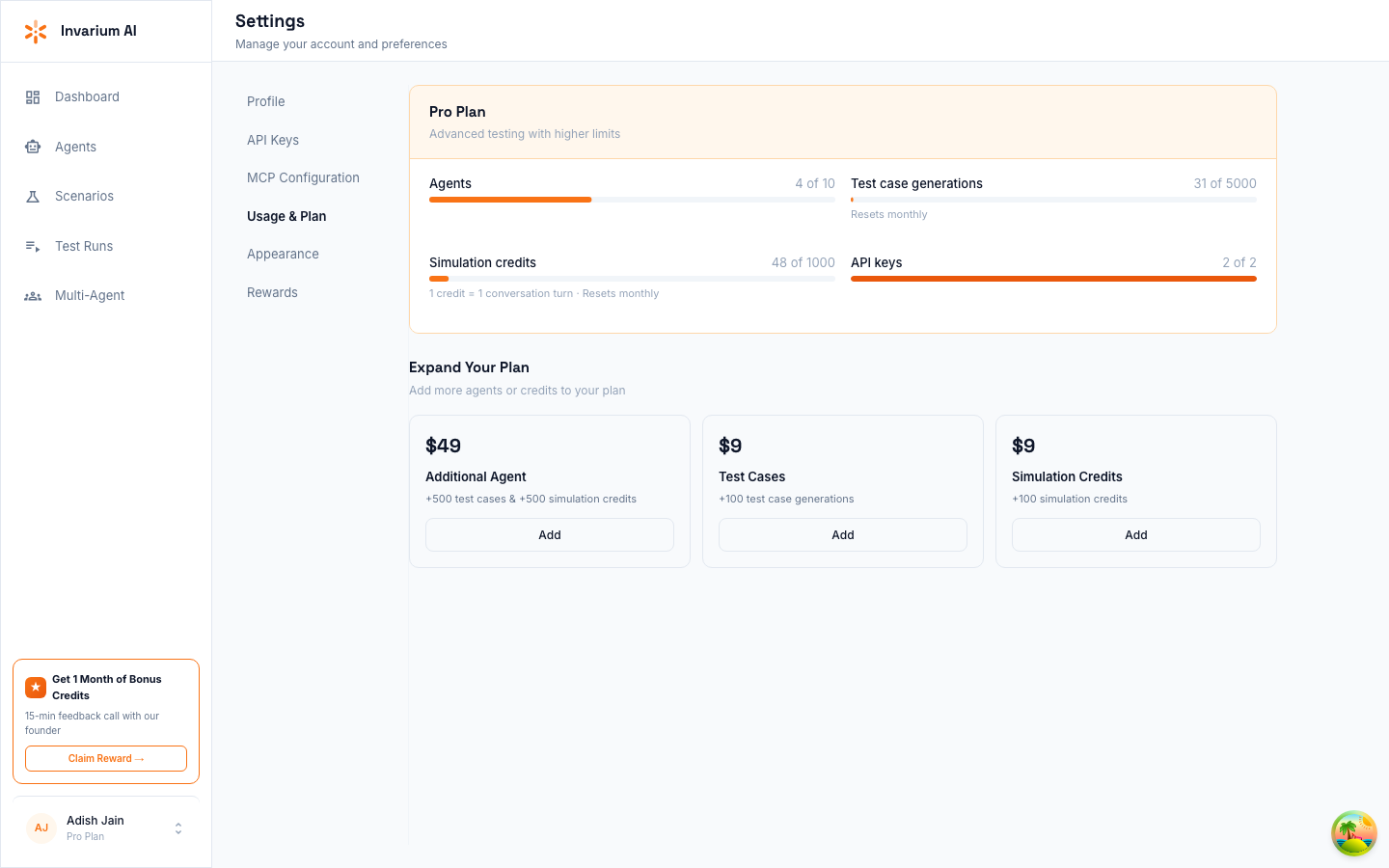
You will see:
- Current plan — Your active plan tier (Free or Pro)
- Agents — Number of agents created vs your limit
- Test case generations — Monthly usage with remaining count and reset date
- Simulation credits — Monthly usage with remaining count and reset date
- API keys — Active keys vs your limit
- Active add-ons — Any purchased add-on packages and their quantities
Usage bars show a visual indicator. When usage reaches 75%, the bar turns yellow as a warning. At 90%, it turns red to indicate you are approaching your limit.
What Happens When You Hit a Limit
| Situation | Behavior |
|---|---|
| Agent limit reached | Creating a new agent returns a quota exceeded error. Delete an unused agent or upgrade your plan. |
| Test case generation quota exhausted | invarium_generate_tests and dashboard generation return a quota error. Wait for the monthly reset or upgrade. |
| Simulation credit quota exhausted | Dashboard simulation runs are blocked. MCP and CI/CD test syncs continue to work (they do not consume simulation credits). |
| API key limit reached | Creating a new API key fails. Revoke an unused key or upgrade. |
| Rate limit exceeded | The API returns a RATE_LIMITED error with a retry_after value in seconds. Wait and retry. |